Run your tailoring shop
from measurement to delivery
Measurement book, QR job cards, an 8-stage workshop board, cloth by the metre, cloth + stitching on one GST bill, karigar payroll — and a tracking link for every customer. In the browser on any computer or phone.
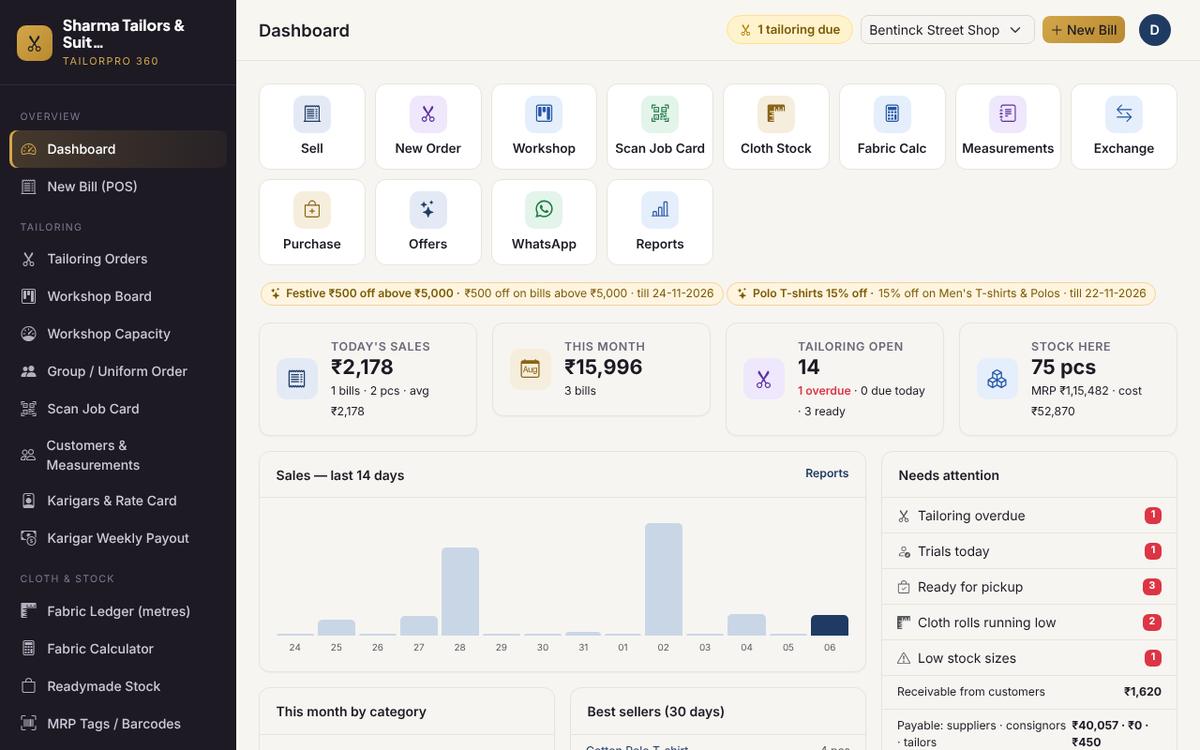
Dashboard: today at a glance
Sales today, trials and deliveries due, ready-for-pickup orders, cloth running low and money to collect or pay — with one-tap shortcuts to the work you do every day.
- Sales today and this month
- Trials, deliveries and overdue jobs
- Cloth rolls running low
- Money to collect from customers and pay to suppliers
Book an order in a minute
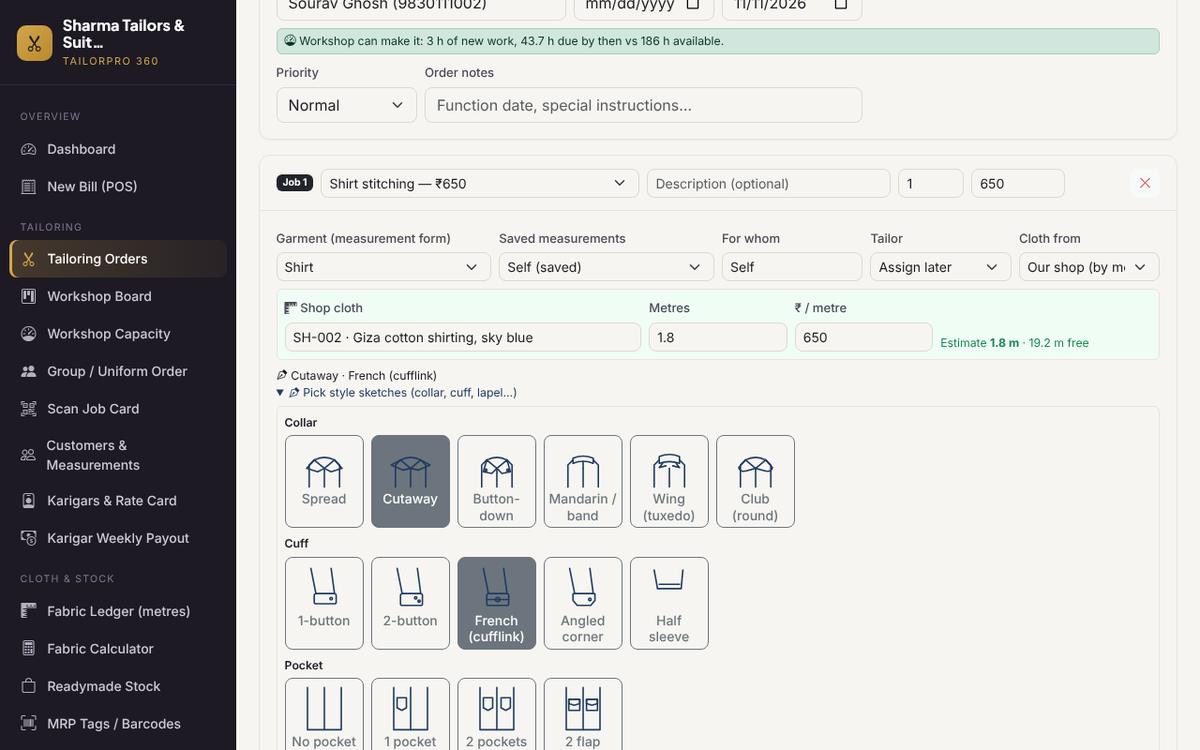
Pick the customer and their saved measurements, choose the work, take cloth from your shop by the metre (estimated from chest size) and pick the style by picture. The delivery date is checked against workshop capacity as you type.
- Saved measurements for each family member
- Shop cloth reserved by the metre
- Style picked from sketches
- Live delivery-date check
Every order in one place
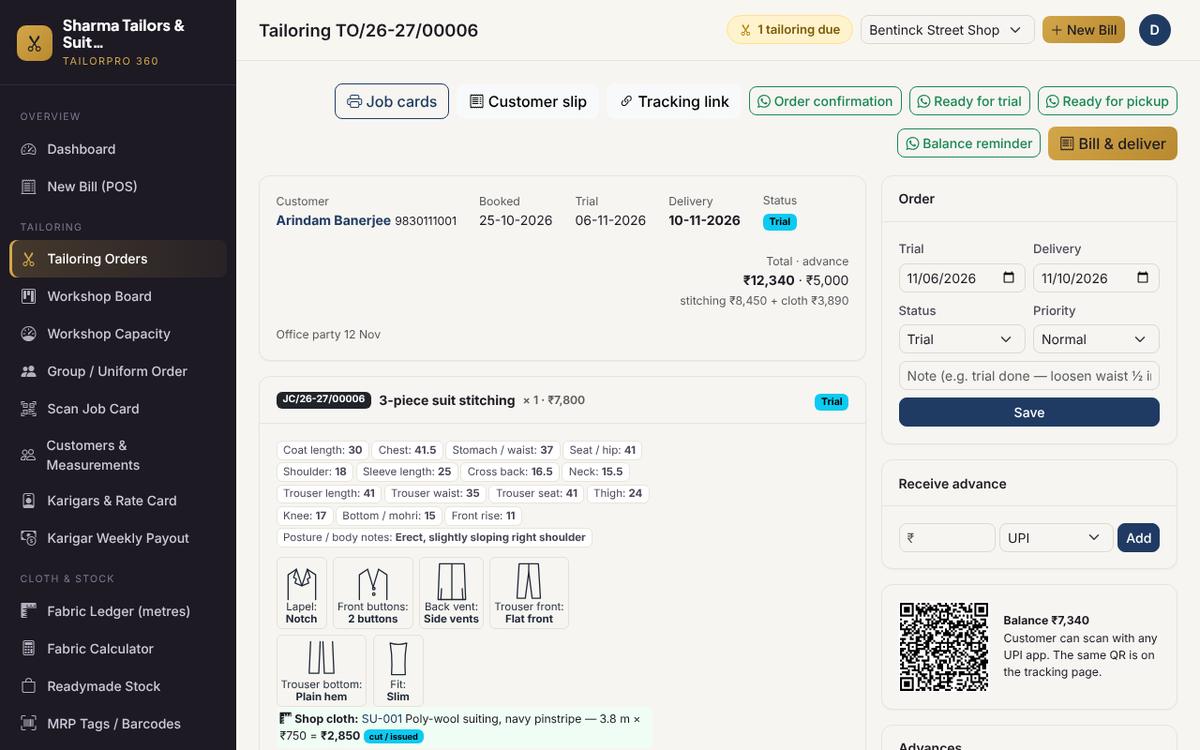
Measurements, shop cloth (reserved → cut → billed), style sketches, advances, a UPI QR for the balance, the timeline and one-tap WhatsApp messages with the customer's tracking link.
- Cloth: reserved → cut → billed
- Advance and balance with a UPI QR
- Order timeline
- WhatsApp messages with the tracking link
QR job cards for the workshop
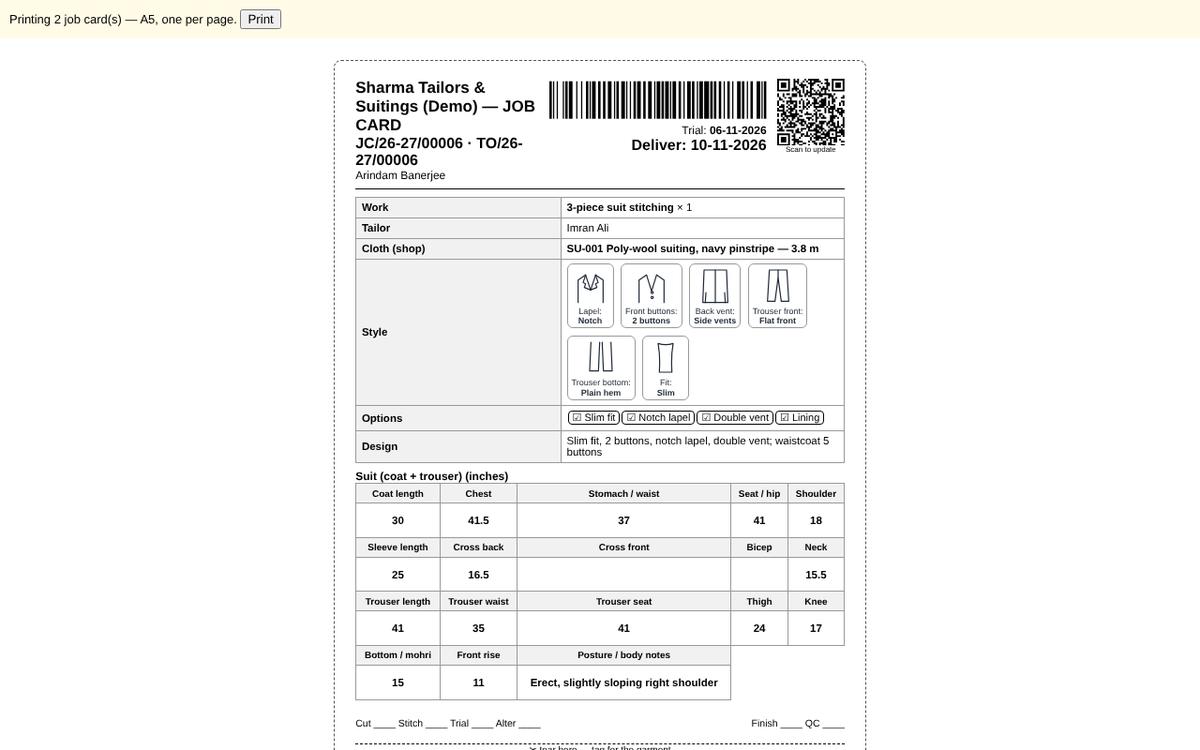
One A5 card per garment with measurements, style sketches, cloth and dates — and a QR code the karigar scans to update the job. Prints in English, Hindi or Bengali.
- One A5 card per garment
- Measurements, style sketches, cloth and dates
- QR code for the karigar to scan
- Prints in English, हिन्दी or বাংলা
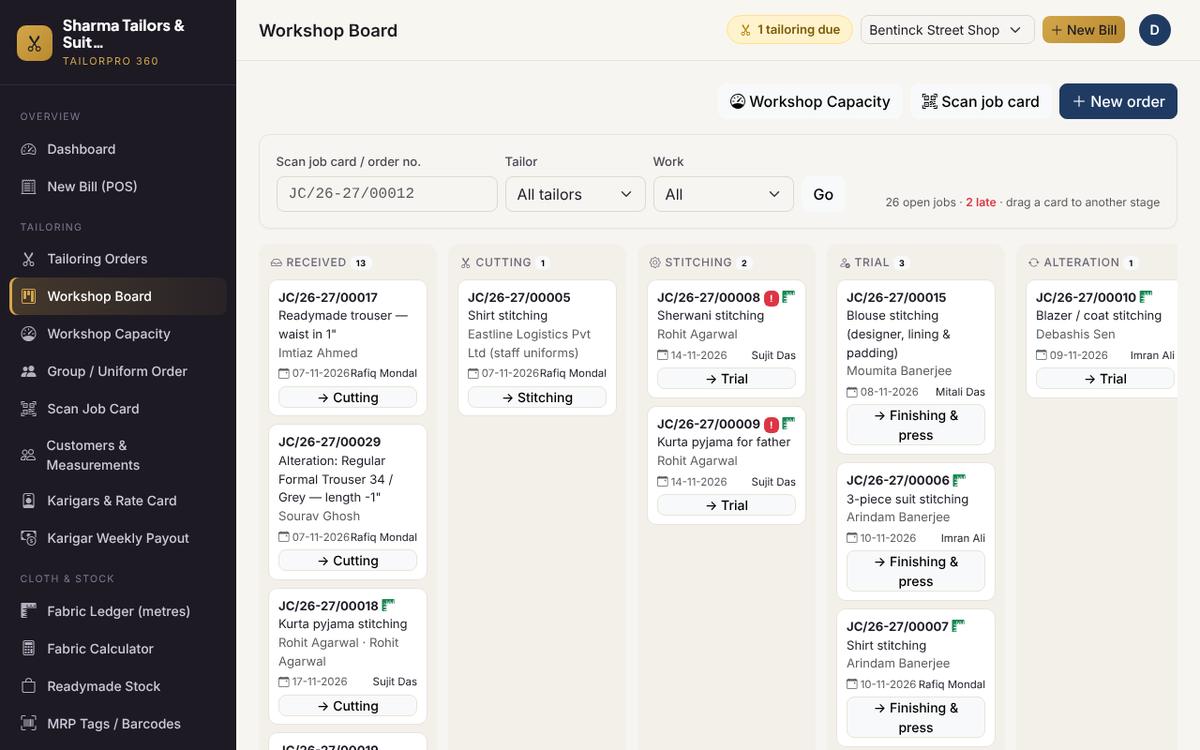
8-stage workshop board
Received → Cutting → Stitching → Trial → Alteration → Finishing → QC → Ready. Drag cards between stages, filter by karigar, see late jobs in red.
- 8 stages, from Received to Ready
- Drag-and-drop or one-tap next stage
- Filter by karigar or work type
- Late jobs shown in red
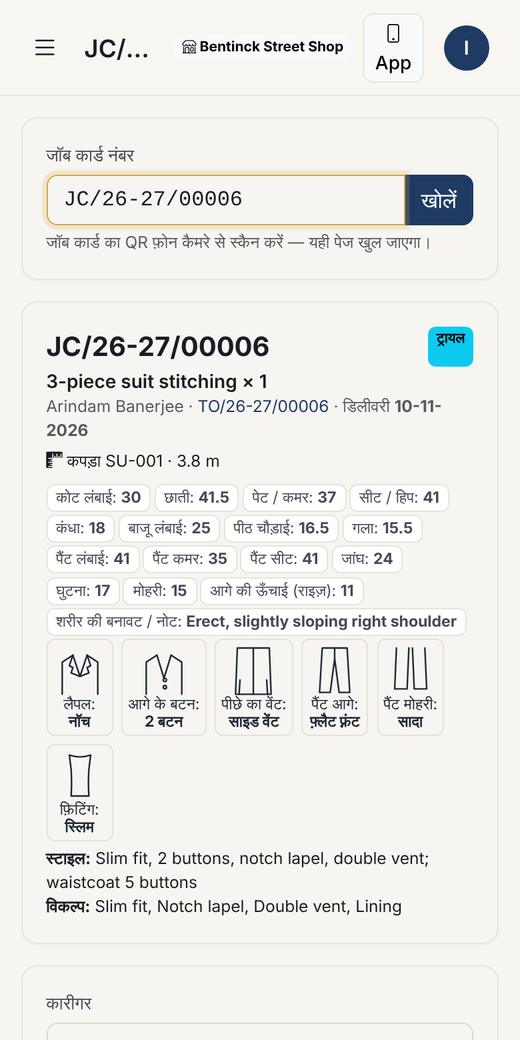
Karigars scan, tap, done
The karigar scans the job card with any phone, sees the measurements and style in their own language and taps the next stage. No typing, no app to install.
- Scan with any phone camera
- Measurements and style in their language
- Tap the next stage — no typing
- Nothing to install
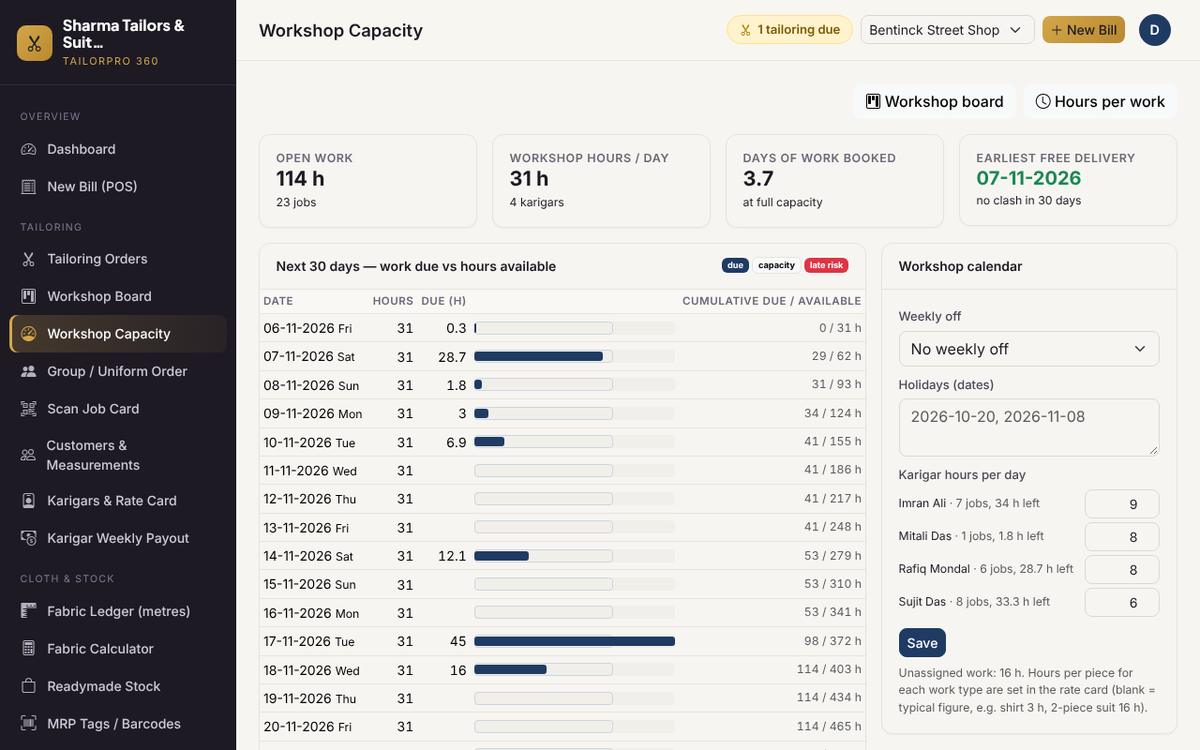
Never over-promise a delivery
Work due each day against your karigars' hours, with holidays and the weekly off. Overbooked days show in red and new orders get the earliest safe date.
- Hours per piece and per karigar
- Weekly off and holidays
- 30-day view, overbooked days in red
- Earliest safe date for new orders
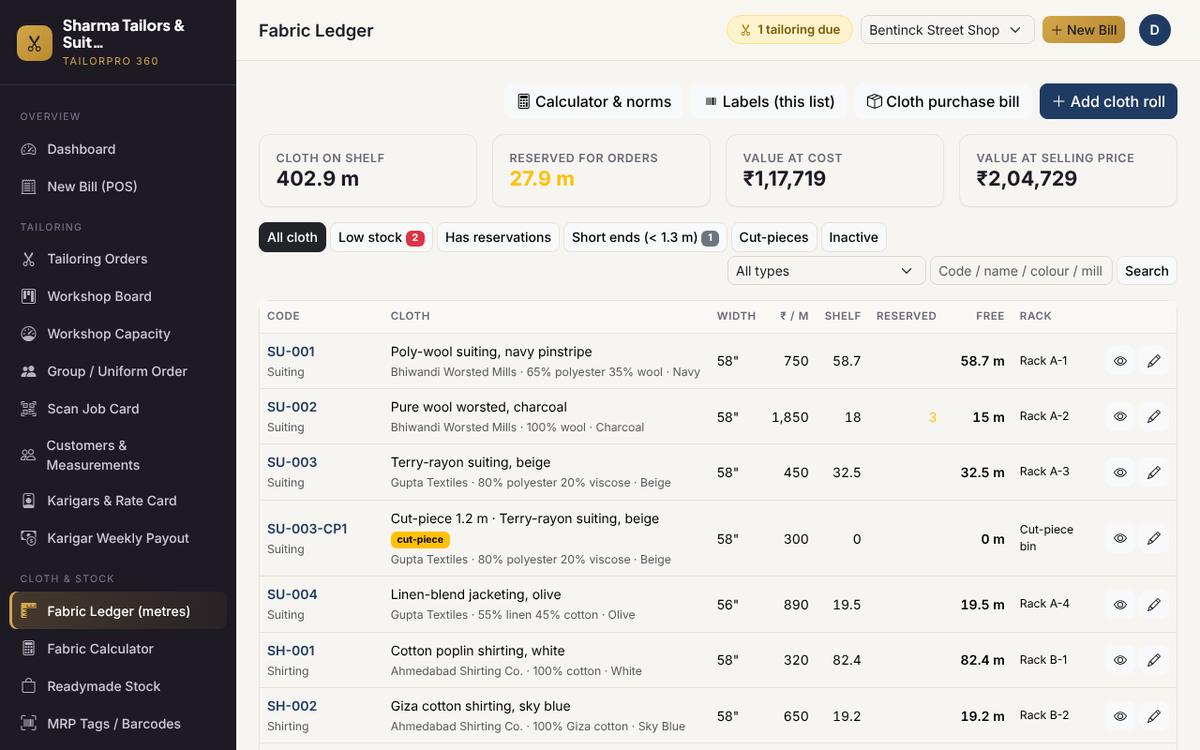
Suiting & shirting in metres
Every roll shows metres on the shelf, reserved for orders and free to sell. Cloth purchase bills, physical counts, roll labels and cut-pieces for short ends.
- On shelf · reserved · free metres
- Cloth purchase bills in metres
- Physical count and roll labels
- Cut-pieces for short ends
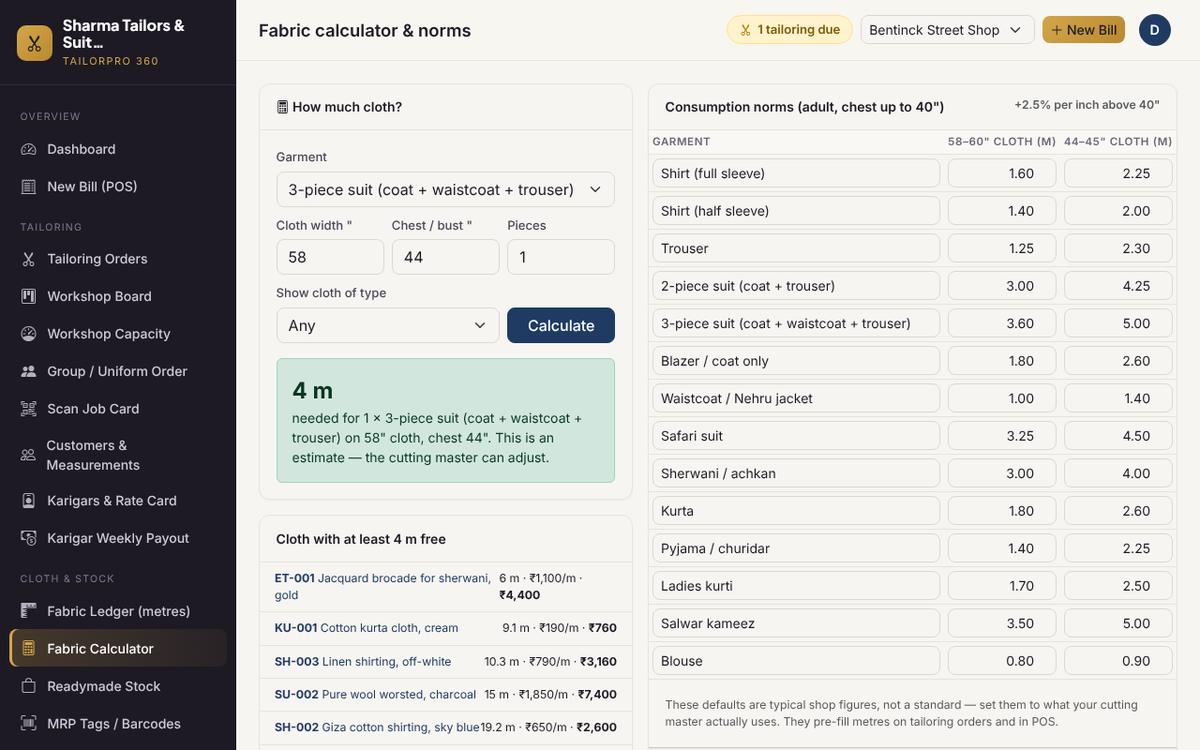
Fabric calculator
How much cloth for a 3-piece on 58" with a 44" chest? Uses your own norms and lists the rolls that have enough free cloth.
- Any cloth width and chest size
- Uses your own consumption norms
- Lists rolls with enough free cloth
- Also used on the order form and POS
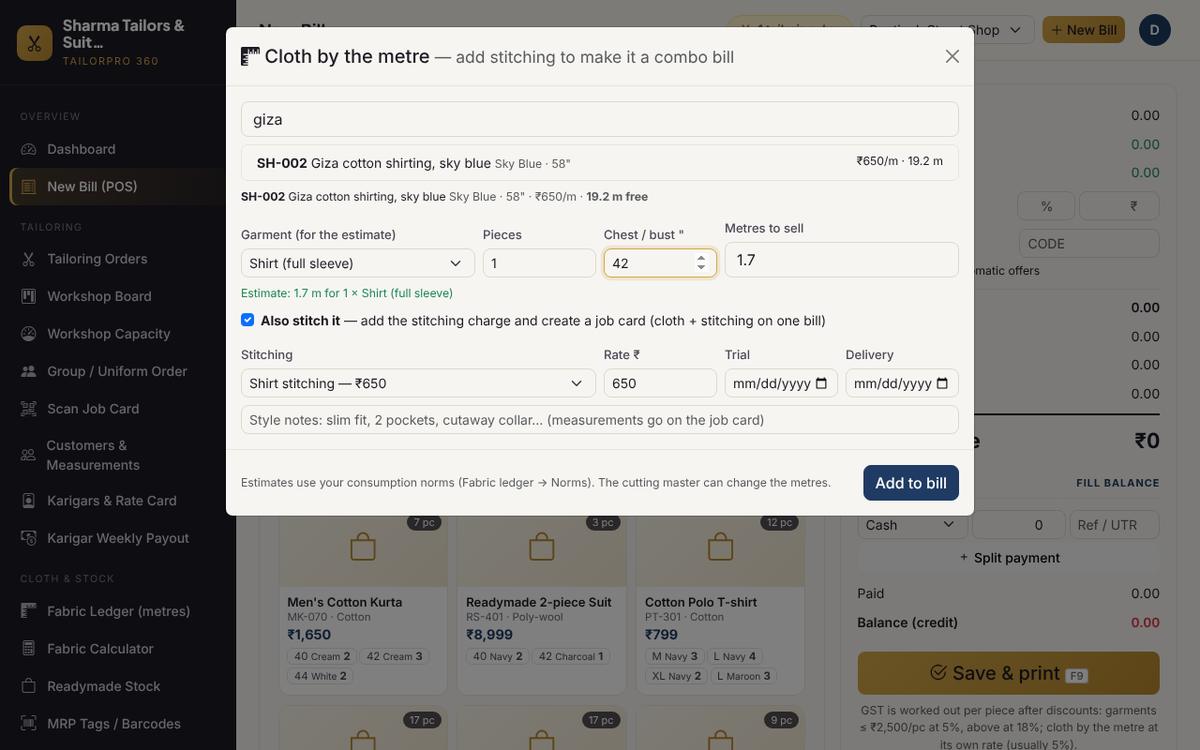
Cloth + stitching on one bill
Sell cloth by the metre at the counter and tick "Also stitch it" — the stitching charge and job card go on the same GST bill. Readymade sizes, offers and loyalty work as usual.
- Search or scan a roll at the counter
- Cloth at its HSN, stitching as a service
- Job card created from the bill
- Readymade sizes, offers and loyalty
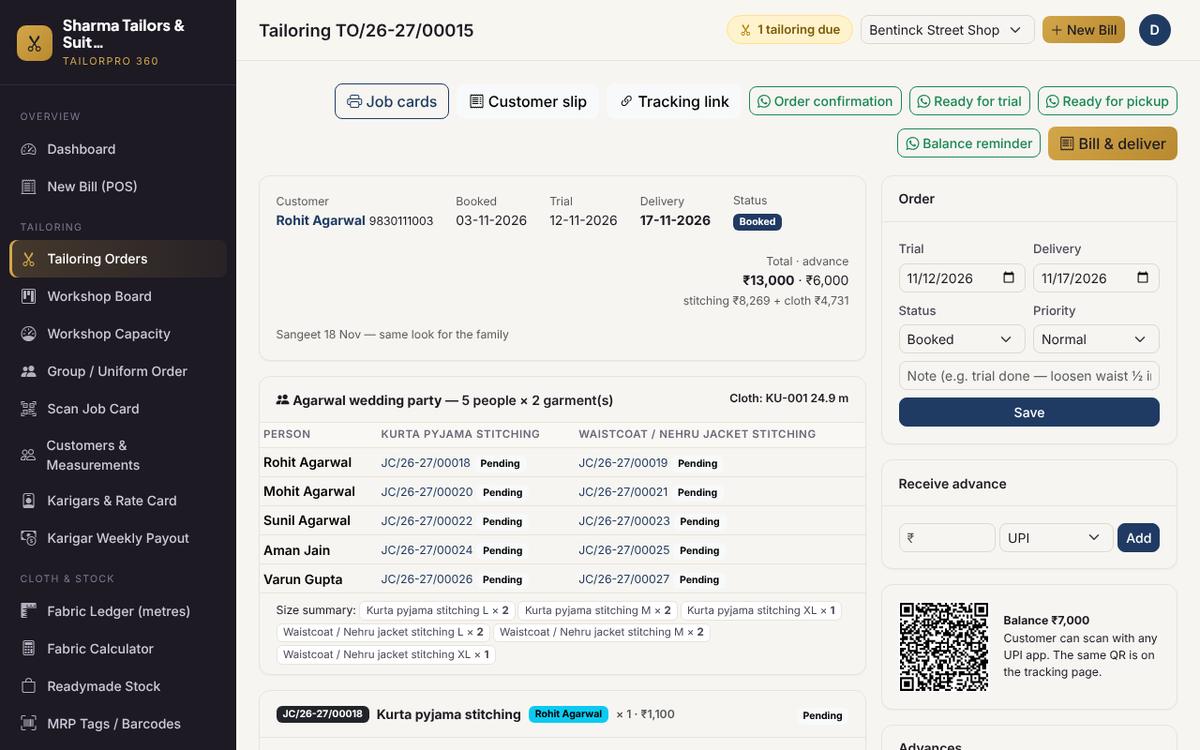
Group & uniform orders
A wedding party or staff uniforms as one order: paste people from Excel, one job card per person and garment, cloth estimated per person, size summary.
- Wedding party or staff uniforms
- Paste people from Excel
- One job card per person and garment
- Size summary and per-person status
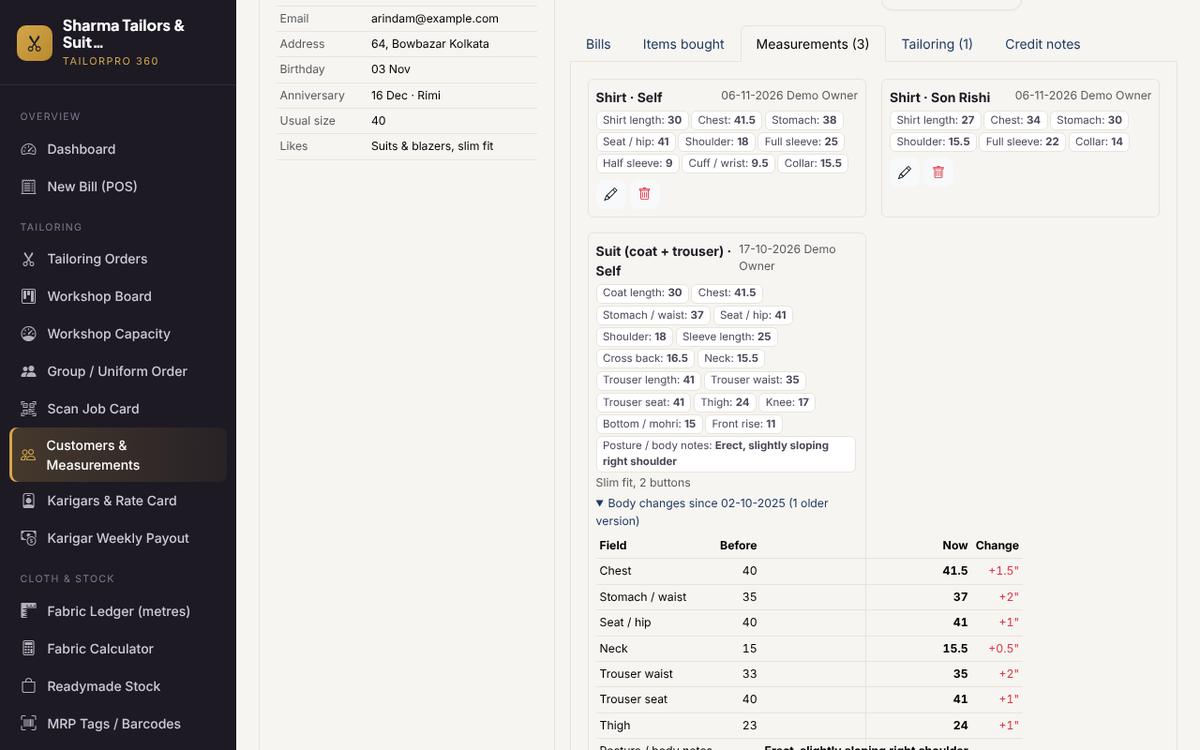
Measurement book with history
Shirt, trouser, suit, sherwani, safari, kurta and ladies garments, for every person in the family — and what changed since the last order.
- Gents and ladies garments
- Every person in the family
- Posture notes and custom fields
- Shows what changed since last time
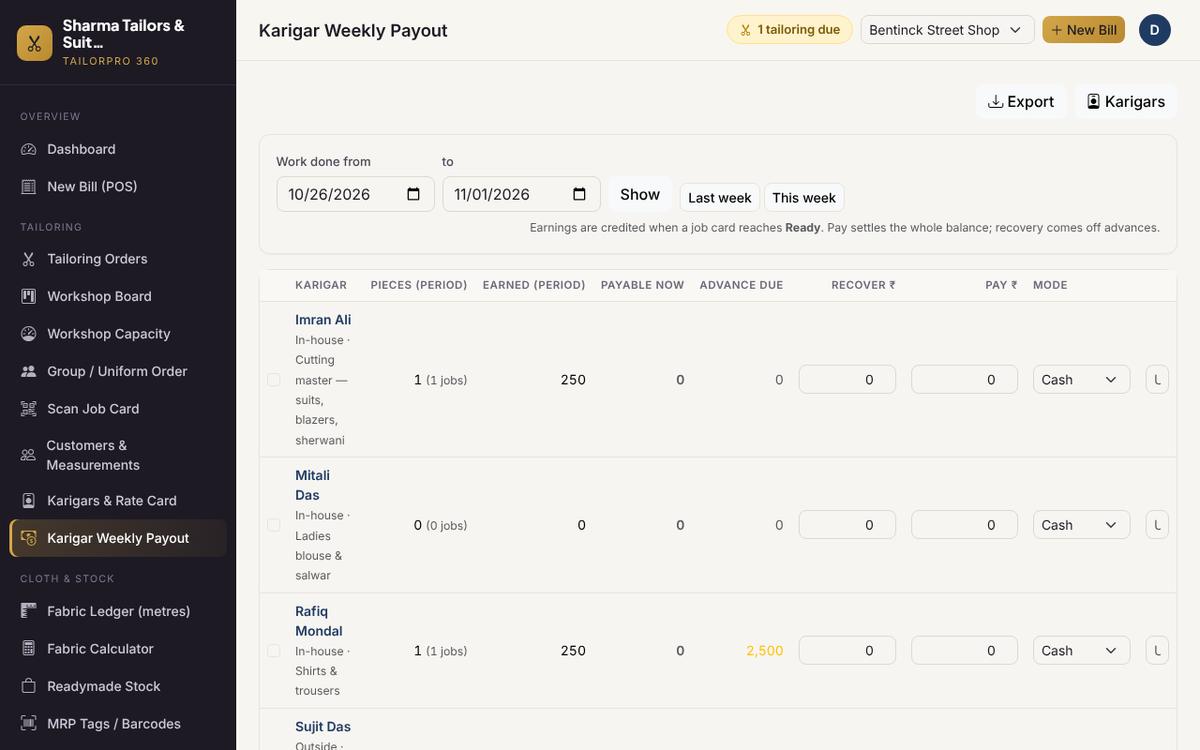
Karigar weekly payout
Piece-rate earnings when a job is ready, personal rates, advances with weekly recovery, one-click payouts and payslips on WhatsApp.
- Piece rates per karigar
- Advances with weekly recovery
- Weekly payout sheet
- Payslips on WhatsApp
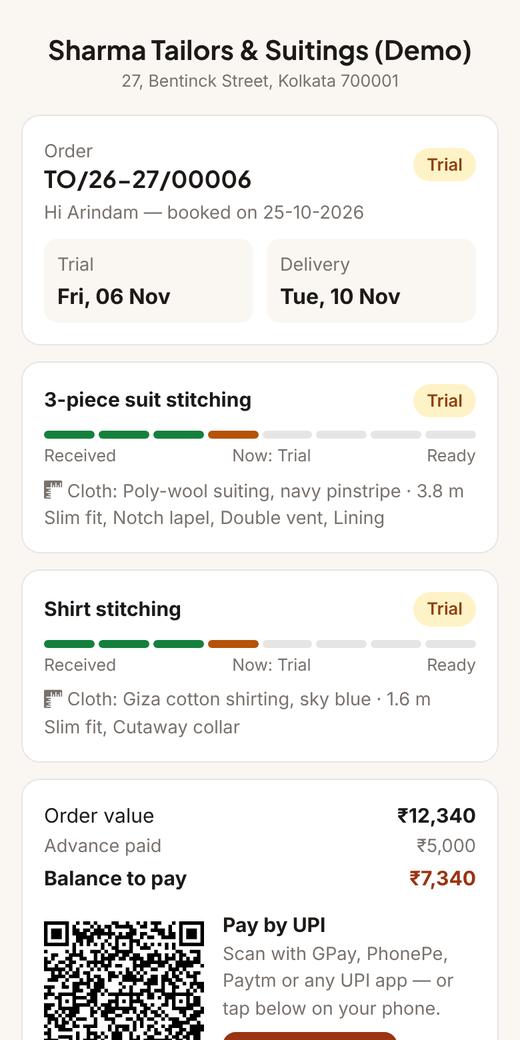
The customer's tracking link
Each order gets a private link: stage of every garment, trial and delivery dates, balance and a Pay-by-UPI button. Fewer "is my suit ready?" calls.
- Stage of every garment
- Trial and delivery dates
- Balance with a Pay-by-UPI button
- Opens in the customer's language
Try it yourself
Open the live demo in one click — no signup — or message us on WhatsApp. We'll show it on your phone and set up your shop with your own GSTIN, UPI ID, stitching rates, karigars and cloth.
Apex7tech · Kolkata · Demo data is shared and may be reset — please don't enter real customer information.