From registration to signed deals —
one expo, start to finish
Event registration, QR passes, gate check-in that works offline, exhibitor leads and VIP guests — on any phone, no app to install.
Visitors register online
A free registration page for every event. Visitors choose whom they want to meet, their budget and buying timeline — and get a QR pass in seconds.
- Choose the exhibitor to meet
- Personal VIP codes or "request VIP"
- Consent recorded with time and source
- One registration per mobile — no duplicates

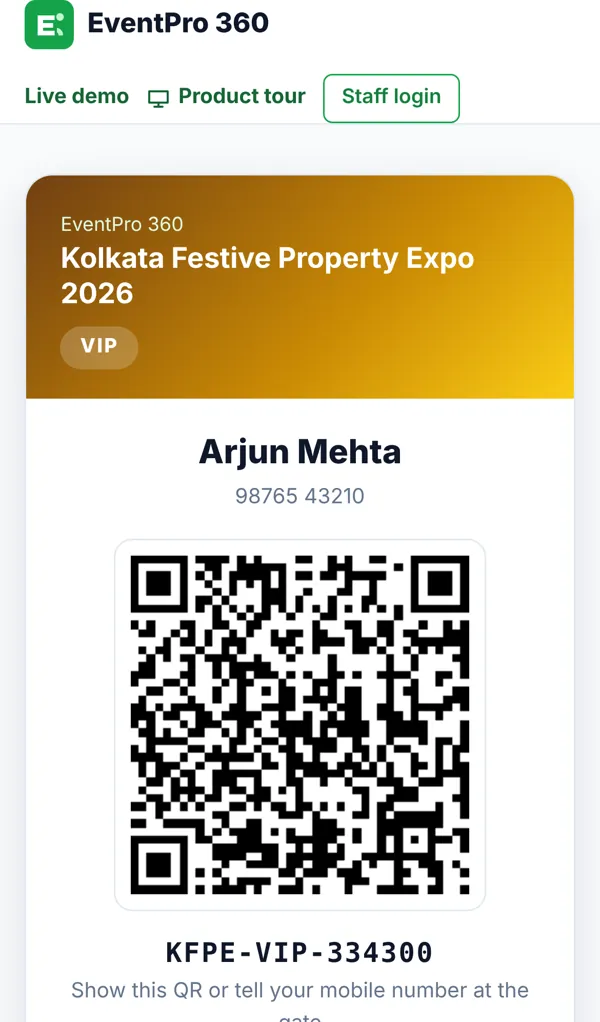
QR pass + a booked meeting
The pass opens on the phone, saves as PDF or goes to WhatsApp. Visitors book a time with their chosen exhibitor, so the sales team is ready.
- QR pass with event, gate and stall
- Book, move or cancel an appointment
- Slots respect the exhibitor team size
- Pass expires after the event
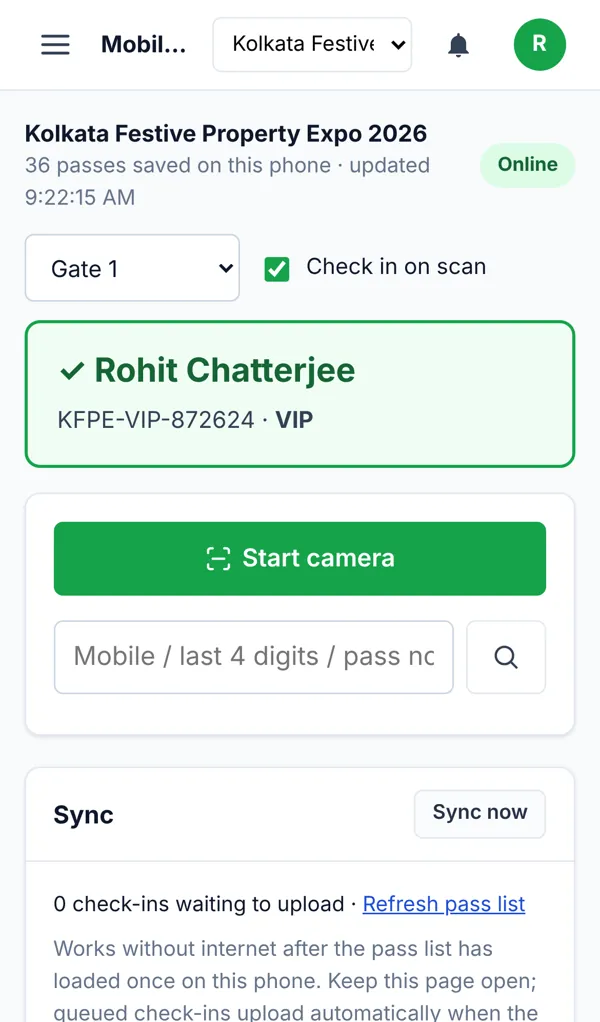
Scan at the gate — even offline
Gate staff scan with any phone in under a second. If the venue internet drops, scanning continues and entries upload when the connection is back.
- Camera scan or last-4-digits search
- Green / amber / red result with a beep
- Offline queue, duplicate-proof sync
- Two gates, one pass = one entry
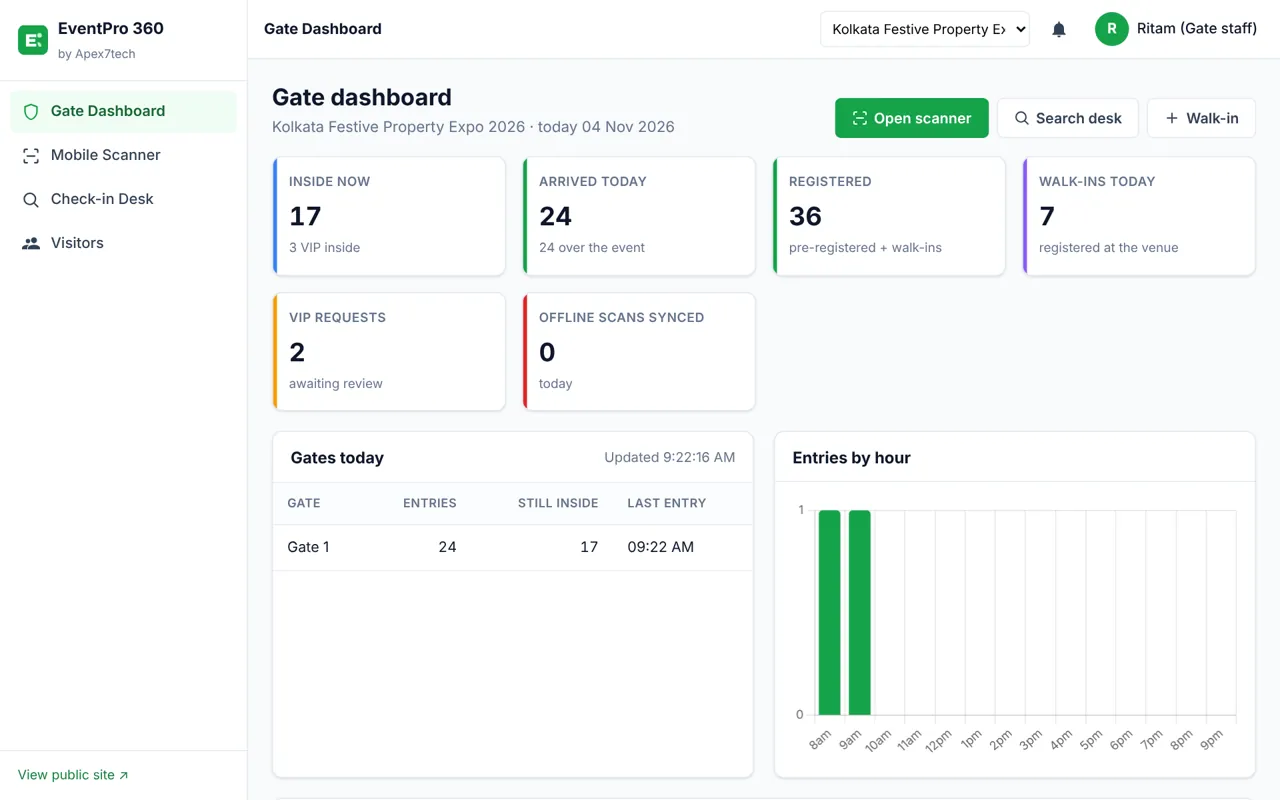
Live gate dashboard
Who is inside right now, arrivals per gate and per hour, walk-ins, VIPs and the latest scans — refreshing every 10 seconds.
- Inside now · arrived today · VIP inside
- Per-gate entries and last entry
- Hourly arrival chart
- Walk-ins with instant entry
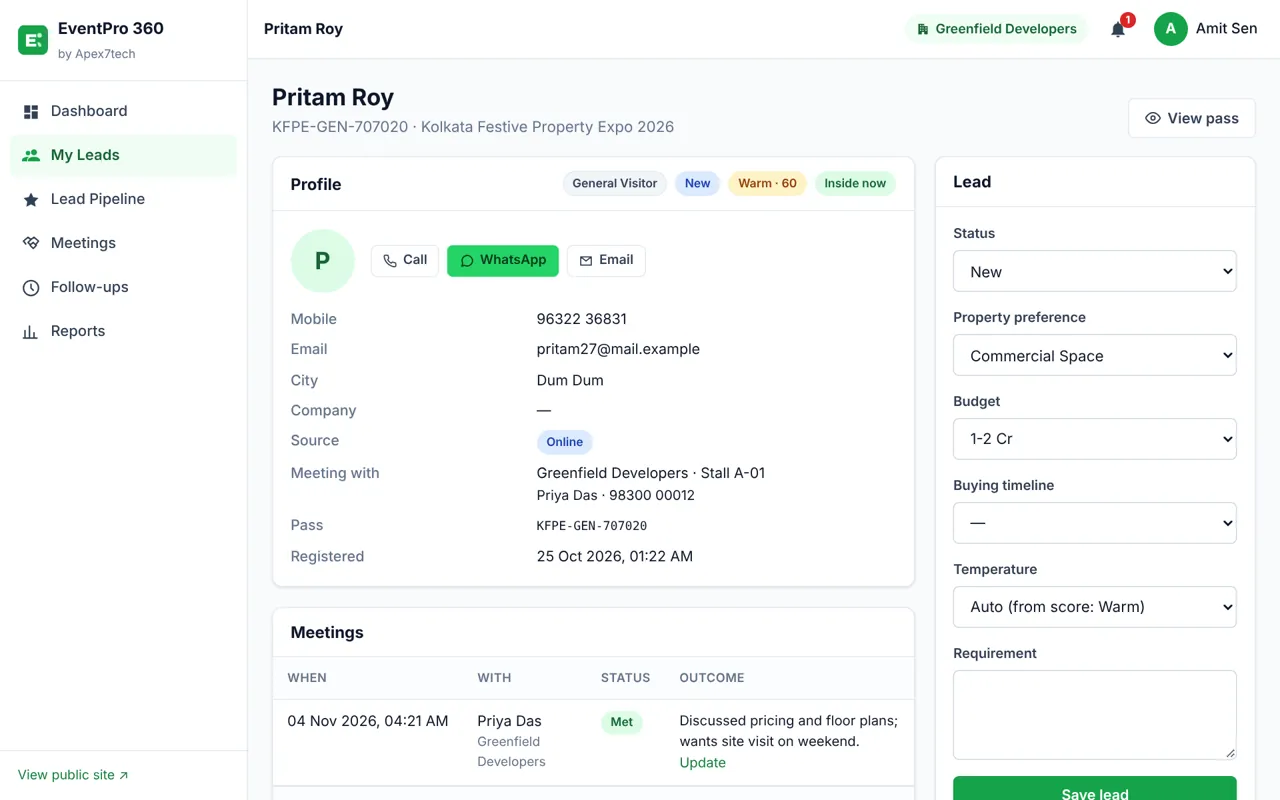
The right salesperson is alerted
At check-in the assigned sales executive gets an alert in the app and on WhatsApp, with the visitor's requirement, budget and history.
- Auto-assign to the least busy executive
- Lead score 0–100 with reasons
- Notes, meetings, follow-ups in one place
- Data export / anonymise on request
Lead pipeline for every exhibitor
Exhibitors see only their own leads, hottest first. Move a lead from New to Site visit to Converted in one tap — and never miss a follow-up.
- Hot / warm / cold from the score
- Overdue follow-ups highlighted
- Sales executives see only their leads
- Export to Excel

VIP guests, handled properly
Personal invitation codes (single use, tied to the guest's mobile) or group codes. Review VIP requests and confirm on WhatsApp in one click.
- Single-use personal codes
- Group codes with a use limit
- Approval queue with alerts
- VIP badge at the gate

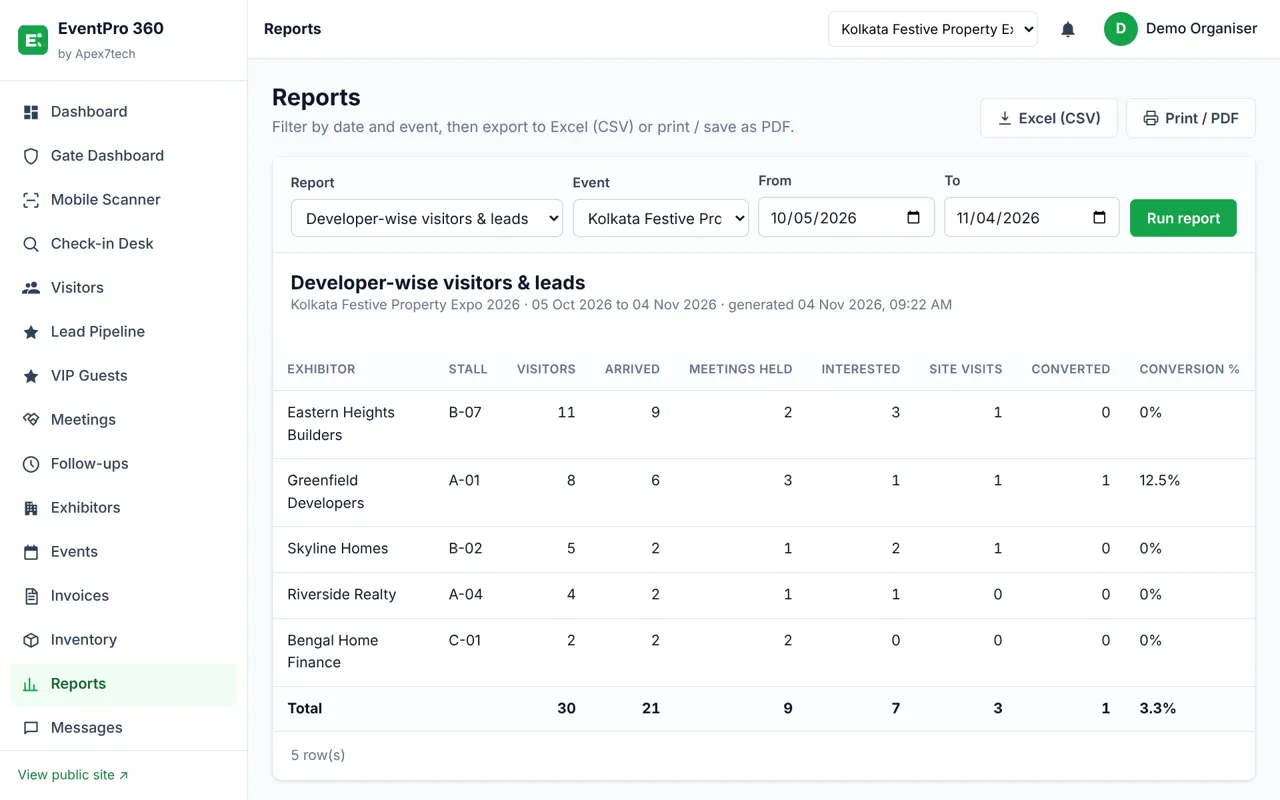
Reports after the event
Registrations, turnout, exhibitor-wise leads, staff performance, interested buyers and GST billing — export to Excel or PDF.
- Exhibitor- and staff-wise results
- Interested buyers for follow-up
- GST invoices for stalls & services
- Full audit log
Secure by design
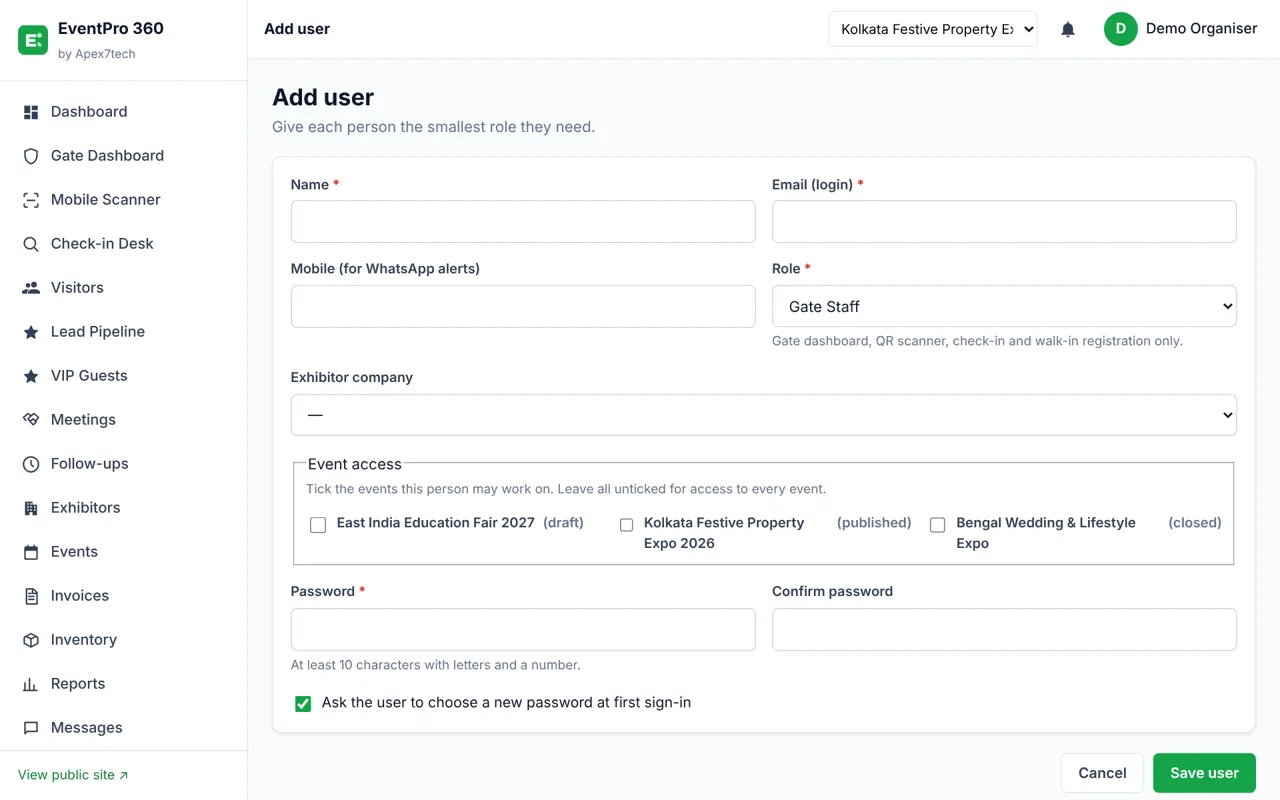
Seven roles, each seeing only what they need. Staff can be limited to specific events. Automatic backups before every upgrade.
- 7 roles: Super Admin to Sales Executive
- Strong passwords, forced first-login change
- Backups and one-click restore
- Consent, data export, retention
Book a live demo
We will show the full flow on your phone — registration, QR scan at the gate, exhibitor alerts and reports. Free setup help for your first event.
Deinrim Solutionss (P) Ltd. · deinrimapp.in/eventpro360/